
Indiana SAVIN Custody Alerts
Indiana runs its alerts through SAVIN, the Statewide Automated Victim Information and Notification system. VINELink is the public front door. Anyone can check whether a person is in custody. They can sign up for notice when that status shifts. The Indiana SAVIN service costs nothing. The state offers it online and by phone, around the clock, for county custody statewide.
An alert can report a placement, a release, a transfer, or another custody change. That makes SAVIN the right tool when the question is simple. Is this person still held, or have they moved? Remember that an alert reports an event, nothing more. An old notice is not a current court result.
The national VINELink interface can route a search into Indiana SAVIN. It can also surface the Indiana service directly. The state portal works on its own too.
The Indiana SAVIN sign-in and search page shows where account entry begins. It is a starting point for a custody check. It is not a statewide gallery of booking photos.
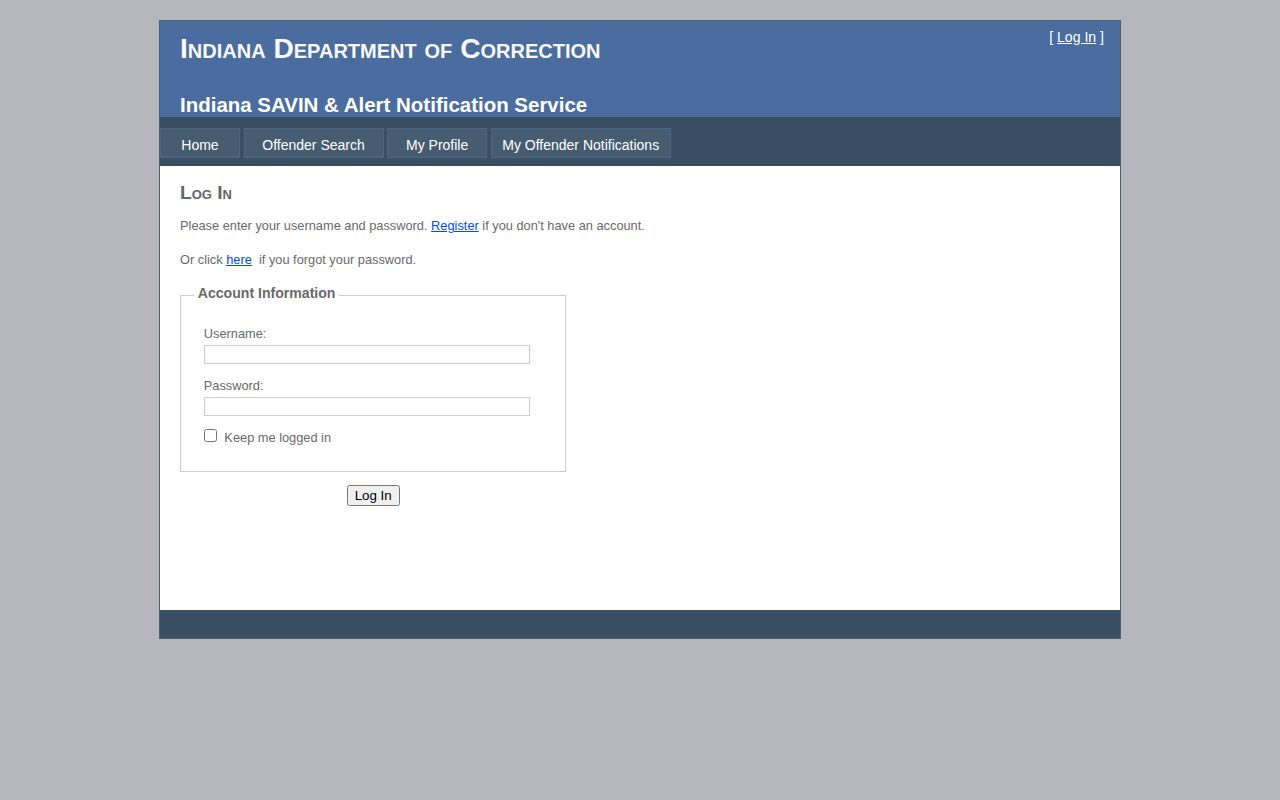
The live portal decides which options appear. If the page redirects or a control looks different, the official state FAQ lists the current SAVIN route.
Indiana VINELink Arrest Search
Begin with a name, or an offender or booking identifier if one is on hand. The state's search form finds custody records; it is not a broad name-history report. A common name can return several people. When that happens, compare more than first and last. County, facility, age or birth details, and current status all help separate the right person from lookalikes.
The Indiana SAVIN offender search holds the direct form. Skip entering personal contact details in the search itself. Open the result that matches the known county or facility, read the record, then decide on alerts.
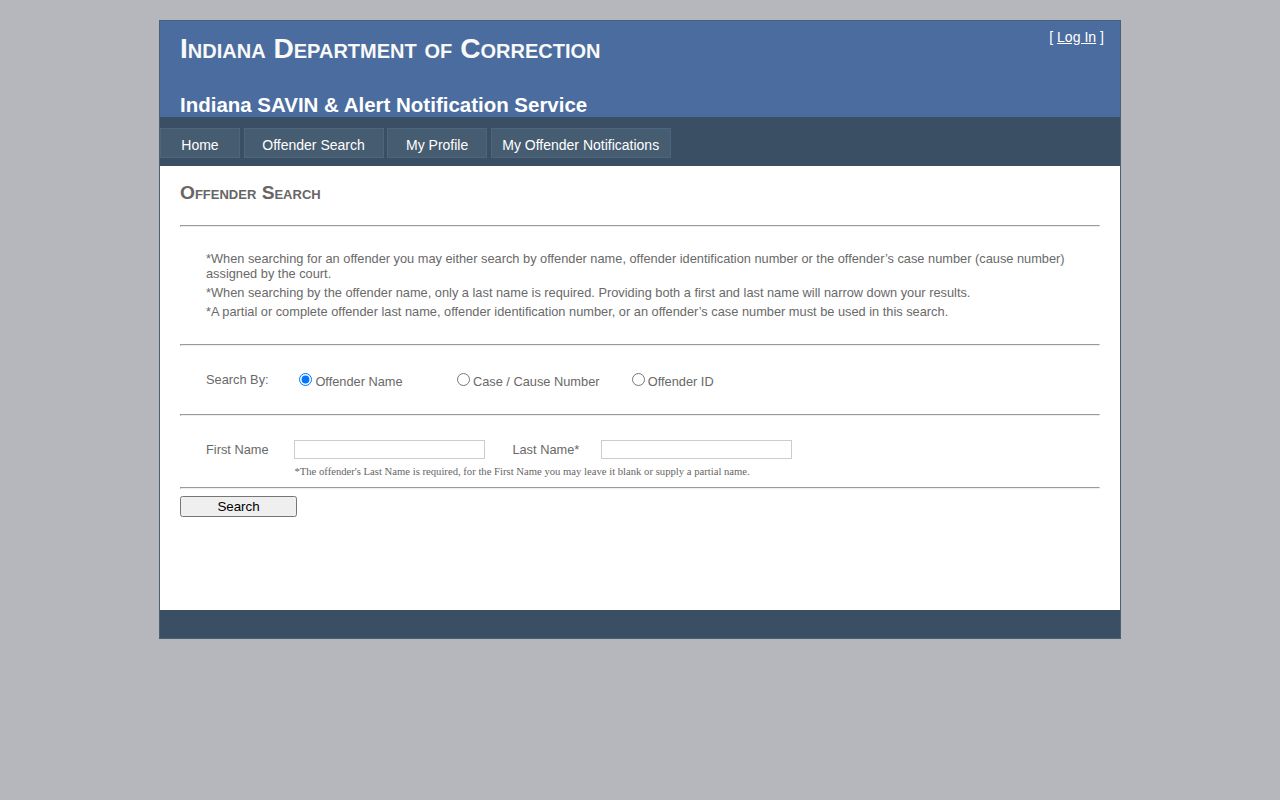
A careful search follows a short sequence:
- Open the Indiana SAVIN search form or choose Indiana in the VINELink interface.
- Enter the person’s name, or the identifier available from a jail or court record.
- Review every plausible result rather than treating the first name match as certain.
- Compare county, facility, age or birth details, and custody status with what is already known.
- Use the record’s alert controls only after the identity match is strong enough to support it.
A result can answer one question well and leave others open. A status line may say where someone is held. But it may say nothing about the incident, the charge history, or a later court decision. Save the record details. They help when a county office must sort out something that does not line up.
Note: A name match should be confirmed with another identifier because similar names can lead to the wrong custody result.
What Indiana Custody Results Show
SAVIN is built around custody and notification. A match may show status information from a participating agency plus the details needed to pick an alert. Read the fields as a current system view. They are not a full arrest or case record. Agencies submit updates at different times, so the screen can lag behind an actual event.
| Detail to compare | How to read it |
|---|---|
| Name or identifier | Use it to narrow the match; names alone do not establish identity. |
| County or facility | Shows the reported custody location when supplied by the participating agency. |
| Status | Describes the custody state available to SAVIN at the time of the check. |
| Change notice | Alerts can report release, transfer, placement, or another status change. |
| Arrest and court detail | A full narrative, complete history, disposition, and booking photograph are not promised. |
A fresh arrest may not appear yet. Booking takes time to reach the system. A person can be booked in a different county from where the arrest happened. The county roster or records office holds local intake detail. The court holds public filings and later case action. Each source does its own job.
A missing photo or a short status line does not mean no booking occurred. The state jail portal and local jail pages differ in fields and coverage. Some show current custody only. Others add a released view, and some offer no public photo field at all. What appears online is one view of a record, never the whole record.
Register Indiana Custody Alerts
After confirming the right person, pick the notice method offered for that record. Indiana's SAVIN policy lists telephone, email, text, and mailed letters. The live interface controls which choices appear and how. Not every person or facility offers every channel at every moment.
The Indiana SAVIN registration page displays the current form. You can view it without entering any personal details.
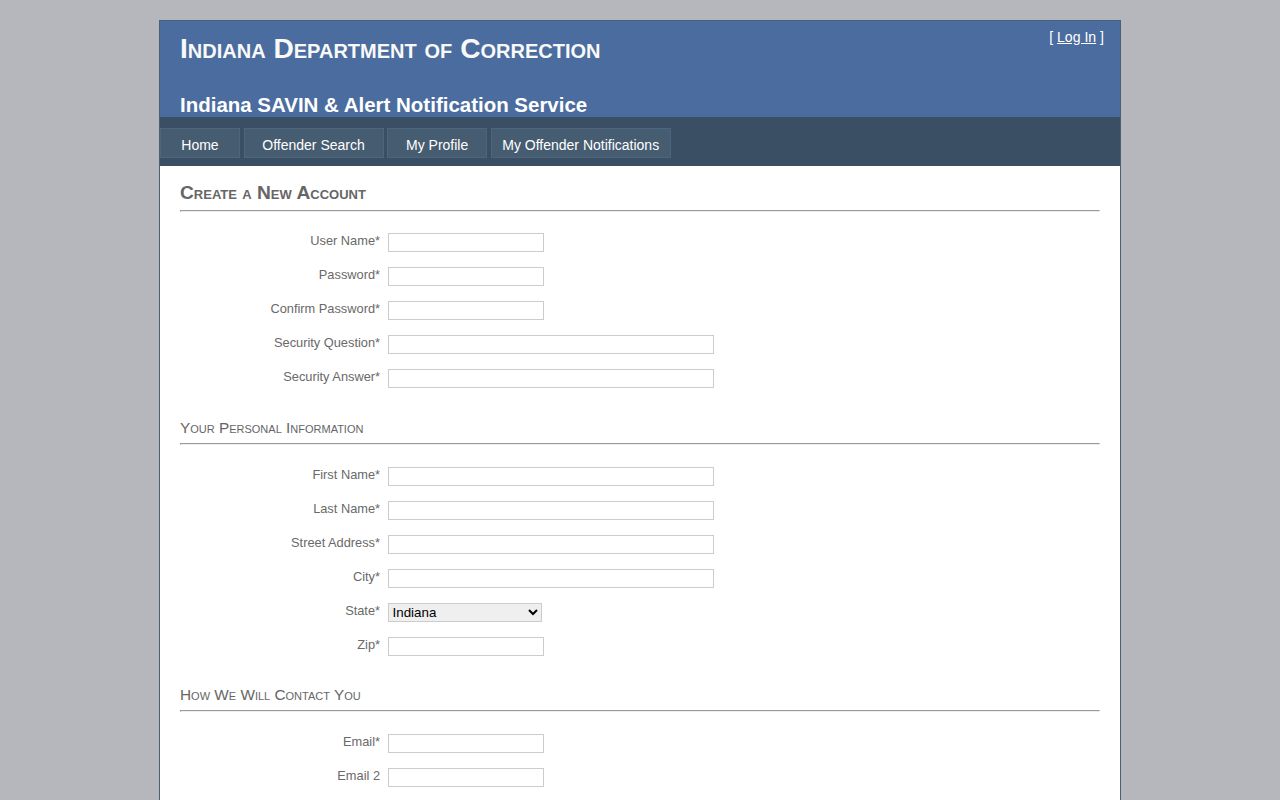
To set an alert, use the record and the controls shown in the live portal:
- Open the matched custody record and select the phone, email, text, or letter option offered.
- Enter only the contact information needed to receive the selected notice.
- For telephone alerts, use the personal identification number requested by the system to confirm or manage notices.
- Follow the portal’s confirmation steps and keep the details needed to change the alert later.
Registration is free and anonymous as a victim-notification service. A phone PIN confirms and manages telephone notices. An alert says a custody event was reported, no more. Release, movement, or transfer can happen for reasons the alert itself never shows.
Indiana SAVIN County Coverage
Indiana's own SAVIN FAQ covers all 92 counties. That statement comes straight from the state. It is the best evidence of who participates. Indiana does not publish one tidy public map of county pages and technical identifiers, so a sheriff's site may lack a VINE landing page even while the state counts that county in.
Public examples show why care matters. Huntington County materials name a VINE site identifier. Gibson County links to VINE from a community-assistance page. Cass and Pulaski Community Corrections keep the Cass County Jail path separate from the IDOC path. Each documents one real link, not a county coverage list. Some counties show no public identifier or portal page at all. That gap is a paperwork hole, not exclusion. Indiana's FAQ says every county participates, no county has declared itself out, and the practical test is a live search in the system for the person in question.
The Indiana SAVIN FAQ offers free real-time custody information and lists the call-center number 1-866-891-0330. Phone details shift over time. Confirm the number on the state page before calling later. Some county materials still cite an older VINE number, so the current FAQ is the safer reference.
County pages handle the entry point differently. One sends you to a statewide screen. Another lands on a vendor page or a locally branded link. Those differences shape how a county exposes the service. They say nothing about participation. If the local link is missing, search the statewide system by the person's details first, then call the jail when a result needs confirming.
Note: A county-specific web link may be hard to find even though Indiana states that county SAVIN systems participate.
Indiana State Prison Alert Coverage
Indiana SAVIN reaches state prisons too. It connects to the Indiana Department of Correction, the IDOC, for anyone in state custody. County jail and state prison are different stages. A person can move from a county facility into state custody as a case advances. The right record source can change with that move.
The IDOC SAVIN policy spells out notification channels and escape-event notice procedures. For someone serving a state sentence, the IDOC offender locator is a separate search path. That locator holds state correctional records. It can show sentence and location details. SAVIN adds custody-change notices on top. Neither tool is a county booking roster, and neither can confirm a fresh arrest. Match the system to the custody stage you're asking about. Then check the court record for the outcome.
Federal custody sits outside this coverage. The Federal Bureau of Prisons and Immigration and Customs Enforcement each run their own locators. U.S. Marshals custody is a separate federal process. The BOP locator works from a name or register details. ICE needs an A-number with country of birth, or an exact name, country of birth, and birth date. Recent transfers and some protected records may not appear. An empty SAVIN result does not rule out federal custody. A federal locator never replaces a search of Indiana county records.
Indiana Arrest Checks Need Confirmation
An empty result can mean several things: a booking too new for the feed, another county, a released or protected record, or one outside the searchable population. A spelling slip can hide a match too. Common names make it worse. None of this proves no arrest happened.
For a fresh booking, open the county's current booking view first. Ask its records line when anything is unclear. The statewide jail search covers only its participating county feeds, not every Indiana jail. The Daily Arrest Report maps the same-day landscape and the local routes for verifying a new booking. For the right county site, start with the County Directory.
SAVIN may show custody while your question is the arrest itself. Contact the arresting agency. Ask the jail about intake and release details. The clerk's public case record covers later filings. MyCase, Indiana's court portal, shows public court activity. It is not a live custody feed. A case can also be sealed, expunged, juvenile, not yet indexed, or outside public search.
SAVIN has one defined job: notification. It tracks custody changes well. The county, court, or state system that created a record remains its true source. Check the date and status, then verify anything important with that custodian.
Note: A status alert can confirm a custody change, but the responsible custodian remains the source for booking and court records.